 Home and Tech
When building a custom computer, the PC case is often overlooked. However, the right case affects cooling, organization, and even the lifespan of your components. Understanding the important things to consider before buying PC cases can save you from costly mistakes later.
Choosing the right PC case plays a major role in how your computer performs. A good case protects your components and keeps them cool. Many builders take time to understand the important features before making a purchase.
Here are some important things to consider before buying PC cases. It helps to look beyond design and focus on quality. The right case can improve cooling and reduce noise. It can make your entire setup look more organized.
Why the Right PC Case Matters
A PC case does much more than hold your computer parts together. It affects how air moves through your system. How easy it is to install components. How does your gaming or workstation setup look on your desk?
A poorly designed case can cause overheating or limited upgrade space. On the other hand, a well-designed case keeps your system running smooth. It also enhances the visual appeal of your setup.
Key Things To Consider Before Buying PC Cases
These key things that should be considered while buying pc cases:
Case Size and Compatibility
Does the case support your hardware? The first thing you should consider is that different PC cases are designed for different motherboard sizes, like ATX, Micro-ATX, and Mini-ITX. You should also check the space for graphics cards and CPU coolers. The power supply units shouldn't be ignored.
Airflow and Cooling Support
When buying a PC, cooling is one of the most important factors. During gaming or heavy workloads, your processor and graphics card generate a lot of heat.
A good PC case should offer multiple fan mounting locations. It support for liquid cooling radiators and has an open airflow design. Proper ventilation panels are also the key feature of a good pc Strong airflow helps keep temperatures stable and protects your components from long-term damage.
Build Quality and Materials
When buying a PC case must check the build quality. The cases that are made with durable materials provide better stability for internal components.
There are some common materials include steel frames, tempered glass panels, and aluminum elements, and lightweight designs are also popular. A good quality PC Case also reduces vibrations and improves overall system durability.
Cable Management
Messy cables can block airflow and look cluttered. Modern cases usually include cable routing channels. They also have hidden compartments to keep wires organized. This improves both airflow and the overall appearance of the build.
Look for cases that offer:
-
Cable routing holes
-
Velcro straps or tie points
-
Extra space behind the motherboard tray
These features make the building process easy and help maintain a clean interior.
Storage and Expansion Options
Before choosing a case, consider how many drives or additional components you may add in the future. Some PC cases include space for Multiple SSDs and traditional HDD drives. you may also find extra PCI expansion slots and GPU upgrades in some pc cases.
Having extra room means you can refresh your system without needing a new case.
Design and Visual Style
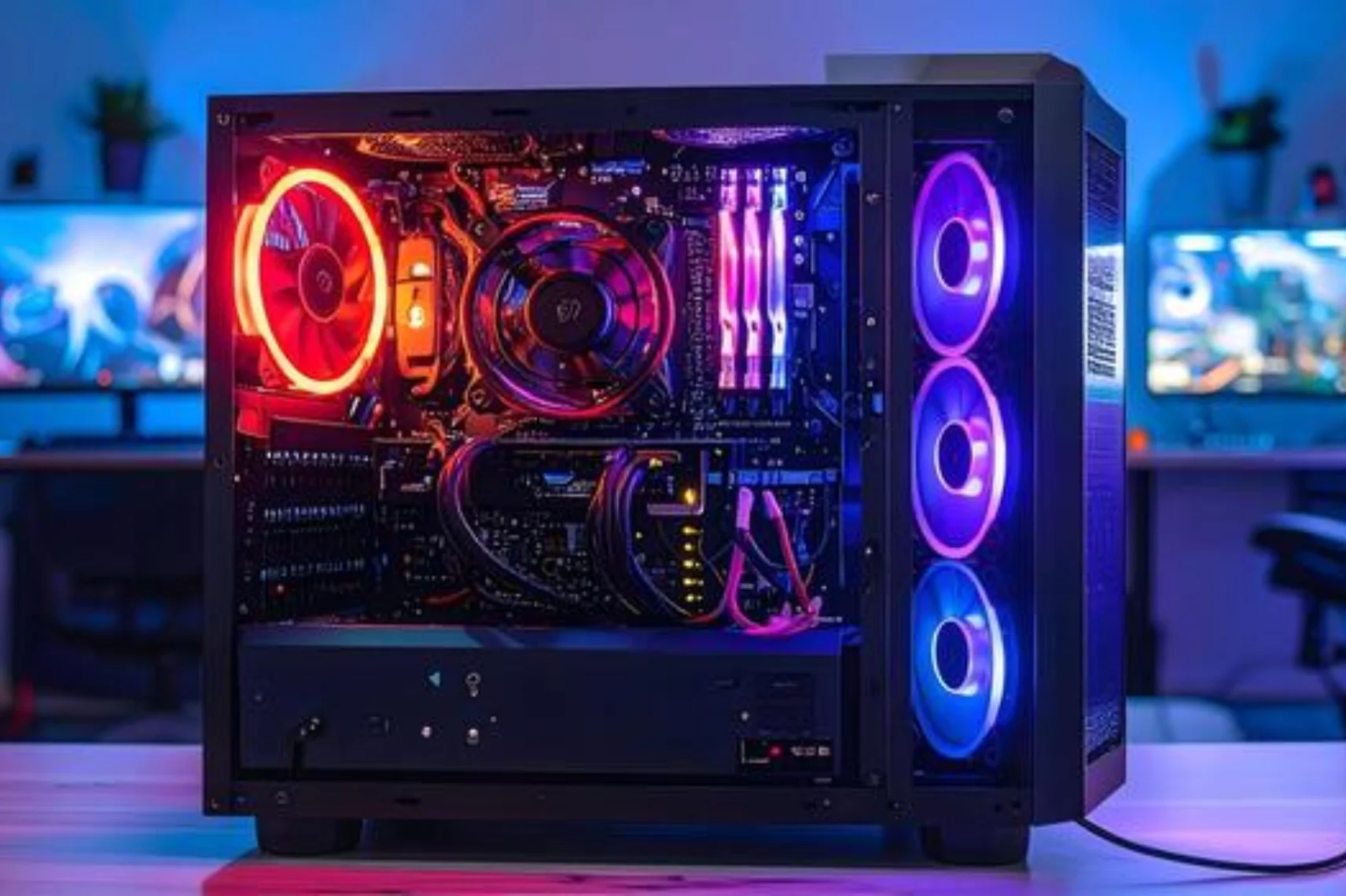
A PC case is also a major visual element of your gaming or workstation setup. Popular design features include tempered glass side panels and RGB lighting compatibility. You may also have options for minimalist front panels and clean modern layouts. To complete your setup, prefer your personal style.
Quick Comparison: What Makes a Good PC Case?
When selecting the right case for your PC, a few key considerations make the decision easier.
HAVN Is Worth Considering for Best PC Cases
When exploring quality PC cases, HAVN should be your priority. Why? The brand offers PC cases that are made for performance with thoughtful design.
HAVN is made for functionality and best in visual appeal. The designs emphasize airflow efficiency and clean layouts. These cases have durable construction.
Some highlights often associated with HAVN PC cases include:
-
Strategic airflow design for cooling
-
High-quality materials for durability
-
Flexible layouts for customization
-
Space for modern GPUs and cooling systems
FAQs
What size PC case should I buy?
It depends on your motherboard and hardware. ATX cases are the most common and offer more space for upgrades.
Do PC cases affect performance?
Yes. A case with proper airflow and cooling support can help maintain lower temperatures, which improves system stability.
Are expensive PC cases worth it?
Higher-quality cases often include better materials, airflow design, and cable management features, which can improve the building experience.
How many fans should a PC case have?
Most systems perform well with at least two to three fans. High-performance gaming systems may require additional cooling.
When building a computer, the case is often one of the first decisions to make. It shapes airflow, determines upgrade space, and influences the overall appearance of your system.
Those important things to consider before buying PC cases help ensure you choose the best PC cases. HAVN should be your preference for having a thoughtful design that combines airflow efficiency. Their PC cases are made with durable materials and modern aesthetics for gaming and professional setups.
Stay tuned to NutritionalVibe to explore more about PC cases.